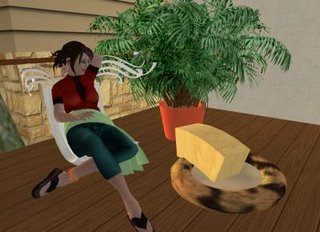
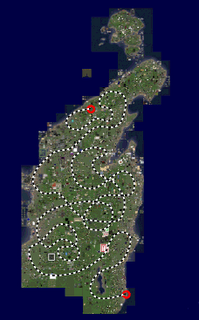
Purple Reinaday!


Jacek's secret herbs and spices
Builder Tool, which lives under the
Toolsmain menu. In it, I put lots of useful building tools and options that I took from various other menus. Now I can tear off one little menu, and have them close at hand while working! Yay!
Stretch Both Sidesand
Stretch Textures, was not much harder. But in fact, it is only possible because of the particular way that those two options, along with the
Snap to Grid/Use Gridoption, were implemented; I suspect that they were all once menu items in the past, or were intended to be so.
Snap to Gridcurrently is a menu item in the Tools menu, and it was by examining the XML for the menu item and comparing it to the corresponding checkbox in the Edit window that I discovered that it was possible to do the same with the other two options.
control nameof the option. Both the menu and the checkbox refer to the SnapEnabled control name: in floater_tools.xml, the
Use Gridcheckbox has an attribute, control_name="SnapEnabled"; in menu_viewer.xml, the
Snap to Griditem has two lines which mention SnapEnabled, once in an <on_click> tag, and once in an <on_check> tag.
Snap to Gridmenu item definition in both lines (be sure to change the text labels to be descriptive of their new functions).
Ok, so I changed the Second Life XML User Interface files to change some text labels and names in the Toolbox (Edit window). This was just a simple matter of reading through the floater_tools.xml file and changing a few words here and there. No biggie. (No, I did not add a new prim type!—I just renamed "Sphere" to "Watermelon". It's much nicer, don't you think?)
But aside from the obvious comedic value, what can changing the UI do for us?
Here's a good one, the true poster child of useful UI changes: we can decripple the Texture panel's "Transparency" input form. Have you noticed that you can only make an object 90% transparent using the UI, but you can make it 100% transparent with a single function call in a script? Linden Lab crippled the UI, perhaps to prevent new Residents from making hundreds of totally invisible prims and forgetting where they put them.
Well, if you are capable enough to edit SL's UI definitions, you are experienced enough to toss aside that crutch! Please note that the same disclaimer as my earlier post also applies here—you are doing this at your own risk! Here's how: in floater_tools.xml, search for the string ColorTrans
. That should take you to a <spinner> tag defining the spinner (a numeric entry form with up/down arrows on the side) that controls transparency. That tag has an attribute, max_val, which defines the highest number you are allowed to put in it. Change that number from 90 to 100. While you are at it, change the increment attribute to something more useful, like 5 or 10; now it will increase by that amount whenever you click the up/down arrows on the spinner (or use your mousewheel ← bonus pro tip for you!). The default value of 2 gives you a good degree of precision, at the expense of convenience. Don't forget that you can always just click on it and type in whatever number you want, when you need precision!
Now start (or restart) SL, and enjoy your newfound freedom!
Today, I was writing up a huge post about custom keyboard shortcuts. I was covering all the bases: why keyboard shortcuts make everything happy and warm, the ways in which SL's shortcuts are poo, and how Linden Lab could and should implement custom keyboard shortcuts. During my research into this last aspect, I realized something:
I can do it myself.
In fact, I not only can do it, I have done it. As a proof of concept, I successfully remapped the Ctrl-Shift-M shortcut. It had previously been bound to View > Mini-Map; it is now, for my Viewer, bound to World > Force Sun > Midnight.
This is just the beginning.
For the curious, here's how I did it.
Second Life's user interface is (at this point in the time, but not so in the past) defined as XML located in the skins/xui/xyz/ directory (where xyz is the language code; for English readers like myself, it's en-us). The XML for the menu bar along the top of the viewer is in the menu_viewer.xml file.
The majority of this file are <menu_item_call> tags, one block for each menu item. One of the possible attributes for this tag is "shortcut". The values for the shortcut attribute are a pipe-separated list of modifiers followed by a key. For example, the "Ctrl-Shift-M" key combination is expressed as "control|shift|m".
Make a backup copy of menu_viewer.xml before you make any changes, in case you break something and need to revert. Then use a text editor (or, if you have one, a dedicated XML editor) to open the file. Find the entry for "Mini-Map", and cut out the part that says: shortcut="control|shift|m". Then find the entry for "Midnight", and paste it after name="Midnight" (but before the closing brace; and don't forget to put a space between between the quote after Midnight and the beginning of shortcut).
That's it. Start up SL, and if everything went as planned, the "World > Force Sun > Midnight" menu item will show a shortcut key combo next to it, and "View > Mini-Map" will not. You can press Ctrl-Shift-M to see for yourself that it now forces the sun to midnight.
Like I said earlier: This is just the beginning. There are dozens of other XML files in that same folder, defining such things as the layout of the edit window, the min and max values of number entry forms, and many, many other things which I intend to experiment with.
I will close with this disclaimer: I re-read the SL Terms of Service tonight, especially section 4.2, which covers accessing SL with "unauthorized" software (this is one of the sections that was amended after the recent CopyBot scare). And although I think that modifying the XML files accessed by the SL Viewer client is probably not a violation of the spirit of the TOS, should you choose to do it, you do so at your own risk.
It would be a mistake for Linden Lab to discipline anyone for trying to improve their own user experience without harming others; but it wouldn't be Linden Lab's first. Fair warning.
This is not a rant. This is a cautionary tale.
I have done all my ranting about this issue in private conversation; ranting in public would do nothing to help it. I will not be naming names, and I ask that anyone familiar with the situation refrain from the temptation as well. I am not writing this to attack any individual, but as a general warning to others, and a reminder to my future self.
Over the past month, I have been working with an individual, "X", to thrash out the design for a large-scale building project. We went through several iterations of the design as I began to understand what X wanted. Finally, X was satisfied with the direction I was taking the design, and asked me to submit a formal bid—how long it would take to build, and how much I would charge to build it.
I mulled it over for a couple days, and sent my bid to X: estimates for what work I would be doing, how many hours each part of the work would take, when I would start construction, and when construction would be complete—along with my fee (regardless of how long it actually took to build). Given the number of hours of work estimated, I was charging about US $15/hour for construction, texture treatment, and scripting (my design allowed for the layout of the building to easily change with the client's needs).
It was, from my point of view, a fair offer. Given the scope of the project and the skills involved, I could have asked for much more than that. However, I am not a big-name well-established builder, so there is some amount of risk, from the client's viewpoint, that what I deliver would not meet the client's expectations. I took this risk into account in my fee, among many other risks on both sides. Confident that my offer was reasonable, I sent my bid to X.
To put it nicely, X was not prepared to pay what I asked, and rejected my bid.
To put it accurately, X snidely accused me of charging an excessive amount for my services and dismissed me without any further discussion.
X, it seems, would not pay more than a certain amount which, given the number of hours I had estimated as necessary, came out to less than US $3.50 per hour. Upon hearing this, I (trying to remain civil) asked X for verification of that rate, and asked if the number of hours I was estimating was, perhaps, more than would be necessary to achieve X's vision. X refused to discuss it.
Now, X had been a difficult client to work with during the design phase. X's "requirements" were vague, and in some cases contradictory or simply impossible given the realities of three-dimensional space. (On the other hand, if I were building for four-dimensional space, such pithy concerns as distance and volume could be ignored). I was warned by another builder who had worked with X. I had no reason to expect X to act rationally, but hope springs eternal.
The lessons I have learned (or had reinforced) are:
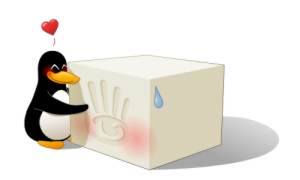
Yes, every Linux-using Resident of Second Life is now brimming over with love and affection for Tofu Linden, the Linux client developer for Linden Lab!
Today marks the first time the Linux client has had any sort of file upload/download capacity! Right now it's pretty rough around the edges, as there is still no file browser/picker, but it works! (Just rename the image to upload.tga and place it in your SecondLife/your_name/ folder, then use the upload menu item.) Tofu tells us that the file picker is in the works, which is also very nifty!
Since the last I posted about the Linux client, much progress has taken place, apparently due to the efforts of our hero, Tofu Linden! Audio playback was added August 29, including support for parcel audio streams, and Copy & Paste was added September 13—the Linux client is fast approaching the full feature set that the Windows and Mac users currently enjoy (plus, of course, the added "feature" of being able to log in to SL in Linux!).
I have found my own way to express my appreciation to Tofu: I created the adorable image above, featuring a penguin lovingly embracing a brick of tofu! (The image was created in Inkscape, by the way—a great piece of software if ever there was one!) I then successfully uploaded the image, and a T-shirt featuring the image, to Second Life! Then I took a snapshot of me wearing the shirt (and standing in front of a waving flexi flag with the texture on it) and saved the snapshot to disk—you can see the proof here!
Since everybody should be able to show their love for Tofu Linden, I am giving out the shirt and textures* at my home/studio/gallery in Hallasan! (While you are there, say hi to Primmy!)
* A small word of caution, though: my gallery is in a Mature sim, and includes a few artistic nudes. You probably won't even see them if you go straight to those coordinates and don't poke around, but I thought I'd give you fair warning, in case you are logging in to SL while at work. In the Vatican. Where you share an office with his Holiness the Pope.
Today, a joyful reunion marks the end of an amazing true story of struggle, perseverance, and hope.
Prim, a purebreed plywood cube and the adored pet of Jacek Antonelli, was returned to his owner today after being missing for nearly two weeks. "I had almost given up hope of ever seeing my dear Primmy again," says Antonelli. "I'm so glad he's back. My life just wasn't the same without him."